
FeatureOmni-channel
Unified Inbox
Multiple messaging channels — and CRM tickets from HubSpot and Zendesk — in one shared inbox, backed by the same knowledge base.
What you get
- Eight channels, one inbox
- One AI Agent everywhere
- Per-channel organization
- Shared visitor profiles
- Reply from the inbox
- Deduped & reliable
Works with
See it in action
Every channel, one shared inbox.
Oslo sofa, fabric options
Actually, I’d rather talk to a person…
 WhatsApp
Refund for order #4821
Any update on my refund? It’s been 5 days.
Shipping to Japan
Thanks! That worked 🙏
 Messenger
Bulk pricing
Do you offer discounts for 10+ units?
 Instagram
Return label
Perfect, I’ll send it back tomorrow.
Maria García
10:24
10:24
10:26
Recent orders
#4821 · Oslo Sofa
Shopify · $1,299
One shared inbox for everything, with full conversation history and customer context beside every thread.
One inbox, total visibility
Not just an inbox. A command center.
The same AI Agent answers on every channel. Your team sees the full picture: who the visitor is, which channels they’ve used, and where they are in their journey, and steps in only when it matters.
AI answeringOne AI Agent, every channel
The same agent and knowledge base answer consistently on web, WhatsApp, Instagram, and the rest. On email, Copilot drafts the reply for your team to send. Watch it work, then take over in one click.
Maria García
Online · Madrid
Reached you via
WhatsAppEmailWebsite#4821 · Oslo Sofa
Shopify · $1,299
Profiles that cross channels
Orders, conversation history, and notes follow the visitor, not the channel. Recognize the same person whether they message your site or WhatsApp.
James O.
New message
Yuki T.
typing…
Liam B.
New message
3Wei C.
New message
Real-time on all eight
Presence, unread counts, and new messages push in real time across every connected channel: web, WhatsApp, Messenger, Instagram, Slack, Discord, Email, and Telegram.
Less repetition
Less repetition. More resolved.
Every channel lands in one shared workspace. Copilot drafts grounded replies in your visitor’s language, and you track resolution rate, response time, and cost savings, not just ticket counts.

 WhatsAppInstagram
Every channel, one workspace
Web, WhatsApp, Messenger, Instagram, Slack, Discord, Email, and Telegram in a single shared inbox, with customer details beside every conversation.
Maria G.
Oslo sofa, fabric
James O.
Refund #4821
Yuki T.
Shipping to Japan
The inbox your team needs
Sort and filter by channel, pin what matters, archive and resolve, in a shared view your whole team works from.
¡Hola Maria! Tu pedido envía hoy. ¿Te envío una muestra de tela gratis? 🧵
Copilot drafts the reply
One click generates a grounded reply in the language the visitor used. Send it as-is, edit it, or hand back to the AI.
Copilot, beside every conversation
Draft a reply
Grounded in your knowledge base.
Translate
Into the language the visitor is writing in.
Hand back to AI
Let the agent take over again.
Tracked, not just counted
Resolution rate
Response time
Cost savings
Resolution rate, response time, and cost savings, across every channel.
What Unified Inbox does
Eight channels, one inbox
Website widget, WhatsApp, Facebook Messenger, Instagram, Slack, Discord, Email (IMAP/Gmail), and Telegram, all funneled into one shared workspace.One AI Agent everywhere
The same agentic loop and knowledge base answer on every chat channel, so customers get consistent responses wherever they reach you. On email, Copilot drafts the reply and your team sends it.Per-channel organization
Track unread counts by platform, filter by channel, and keep context as a visitor moves between them.Shared visitor profiles
Profiles sync across channels, so you recognize the same visitor whether they message on your site or WhatsApp.Reply from the inbox
Agents reply on any channel from the same composer, with AI Copilot drafting and translating as needed.Deduped & reliable
Inbound messages are normalized and deduplicated per platform with deterministic conversation IDs, so nothing doubles up.
BubblaV mobile apps
Your command center, in your pocket.
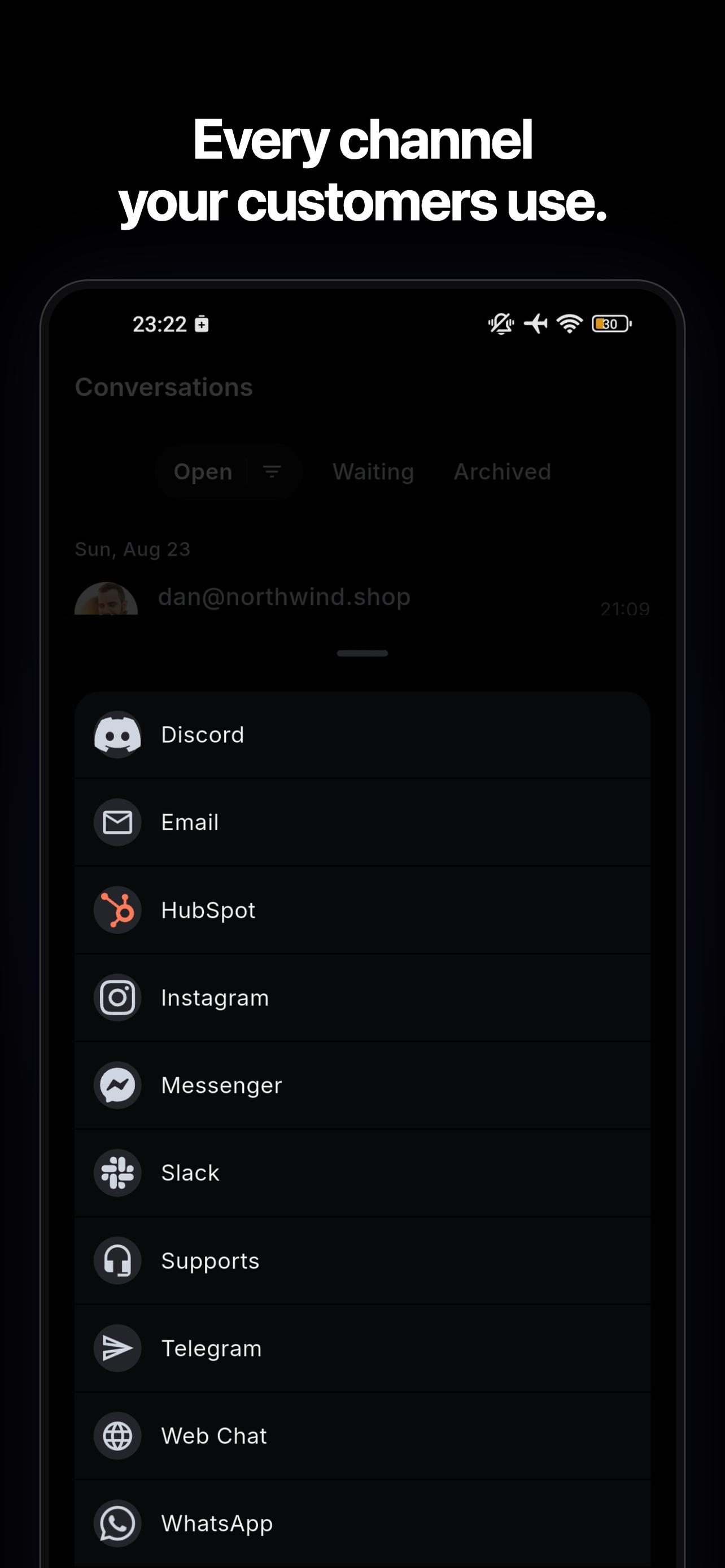
Open conversations from your connected channels, including WhatsApp, Instagram, and your website, in the mobile inbox on Pro.
Push notifications for new conversations and messages.
On Pro, reply with the same open / waiting / archived inbox as your desktop.
Copilot drafts and translation travel with you — one tap to a grounded, translated reply.


How it works
From setup to a resolved conversation.
- 01
Connect a channel
Authorize WhatsApp, Messenger, Instagram, Slack, Discord, Email, or Telegram from your dashboard, or drop in the website widget. - 02
Messages flow in
The omni-channel layer normalizes, dedupes, and routes every inbound message to your unified inbox in real time. - 03
AI or human replies
The AI Agent answers automatically on chat channels; on email, Copilot drafts the reply for your team to send. Anything it escalates waits for your team in the same inbox.
Related features
Unified Inbox works best together with these.
- Live ChatReal-time live chat with smart AI-to-human handoff: your team picks up conversations with the full picture already in front of them.
- Team InboxWork the inbox as a team: give every conversation an owner, talk it over in private notes, and reply faster with saved replies.
- AI CopilotAn AI assistant for your support team: draft replies in one click, look up customers in your connected tools, and make knowledge or settings changes that wait for your approval.
Unified Inbox FAQ
How BubblaV unified inbox works.
Which channels are supported?
Which channels are supported?
Eight: your website chat widget, WhatsApp, Facebook Messenger, Instagram Direct, Slack, Discord, Email (IMAP or Gmail), and Telegram. All route into one shared inbox.
Does the AI Agent work on every channel?
Does the AI Agent work on every channel?
Yes, on every chat channel — the same AI Agent and knowledge base answer across all of them, so visitors get consistent help whether they message your site or your Instagram. On Email (IMAP), the AI doesn't send on its own: Copilot drafts every reply for your team to review and send.
Can my whole team share the inbox?
Can my whole team share the inbox?
Yes. With Team Inbox (Pro), invite teammates, assign conversations by hand or round-robin, leave internal notes with @mentions, and work from the same shared view, with per-platform unread counts and cross-channel visitor profiles.
Try Unified Inbox for free
Deploy an AI chatbot trained on your site. No credit card.